







-
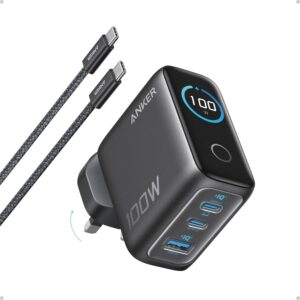
How do I charge my device at 140W with this charger?
Make sure your device supports 140W input, has a Power Delivery 3.1 port, and is connected via a single USB-C port using a 140W-rated USB-C cable. For a 16″ MacBook Pro, use a USB-C to MagSafe 3 charging cable.
-
Is it normal for the charger to heat up while charging?
It is common for high-power chargers to operate at higher temperatures compared to lower-power models. This charger features AI-driven intelligent temperature control that keeps it within safe international standards for reliability and safety.
-
Why do the display power ratings of the charger and the power bank differ?
When the charger and power bank are connected via a USB cable, some energy loss occurs, resulting in different displayed power ratings. This discrepancy does not affect normal use.
-
Why does the charge break occur when USB-C3 and USB-A ports are used simultaneously?
The USB-C3 and USB-A ports share a circuit. Inserting or removing devices from these ports triggers an automatic redistribution of power, causing a brief reconnection. This is normal and does not impact functionality.
-
Why is the displayed power less than what devices such as phones and laptops claim?
The charging process for phones and laptops follows a fluctuating power curve, typically reaching maximum power when the battery is low and the screen is off. This behavior occurs even with the device’s original charger.







Reviews
There are no reviews yet.